
Organize, Manage and Export Your Recipes with Maison Foodie Recipe Books
Export your Recipe Books to digital PDF for instant offline access to your culinary collection. This premium Pro Member feature allows you to quickly and easily export any Recipe Book that you have created so that your recipes will always be available at your fingertips! The perfect tool for those who love food and drinks!
Export Your Recipe Starts With Adding Your Recipes to Maison Foodie Recipe Books
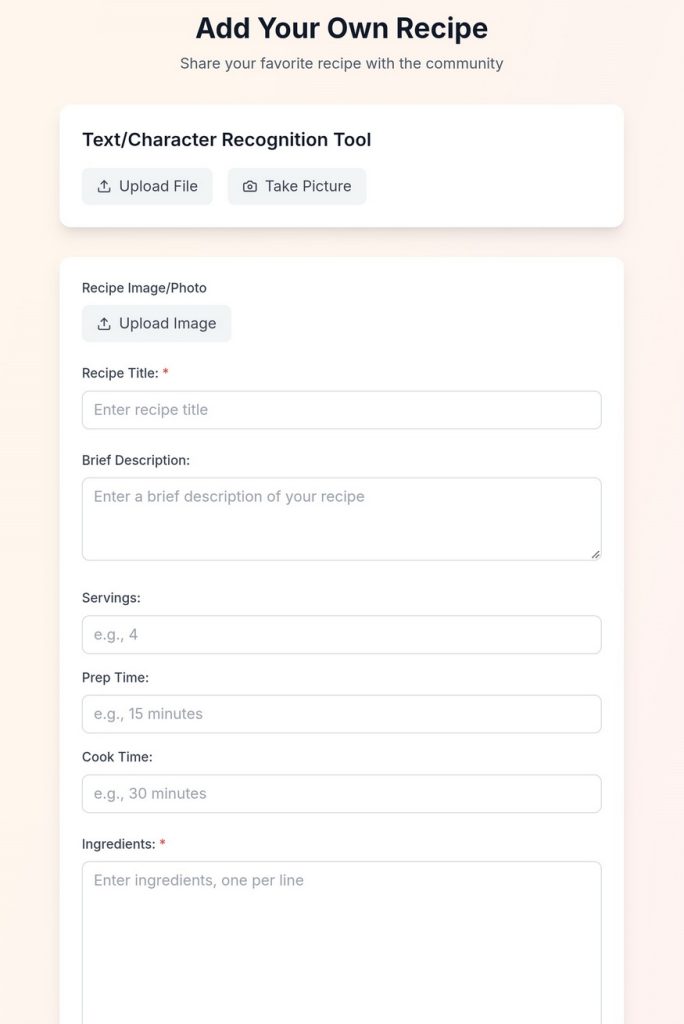
Export your recipe to digital PDF starts with creating Maison Foodie Recipe Books. Have recipe cards? Adding your own recipes to Maison Foodie can start with using the Text/Character Recognition Tool. You can either upload a digital copy of your recipe cards or use your mobile device camera to take a photo of the recipe card. The Maison Foodie Text/Character Recognition Tool will identify and extract the text in the uploaded file or captured photo. Once the text has been identified and extracted, you can place the text in the applicable fields.
If you don’t want to use the Text/Character Recognition Tool, you can use the provided form fields to manually type and add your recipe content and information.
All recipes that reside in your My Recipe History can also be added to your Maison Foodie Recipe Books for organization, management, and easy access. Found a recipe in the Maison Foodie community created by a fellow foodie? Recipes that are discoverable in search results within the Maison Foodie community can be added to your Recipe Books. Each recipe in Maison Foodie can be added to one or mulitple Recipe Books. All Recipe Books can be exported to digital PDF for instant offline access. CLICK HERE to learn more about Maison Foodie Recipe Books.
Add, remove, or rename your Recipe Books with just a few clicks. Organizing and managing your recipes and Recipe Books is so quick and easy with Maison Foodie!
** Important Note:
1. Recipe content auto-generated by the Maison Foodie chef cannot be modified or edited. However, your manually added recipe content and information can be modified and edited by you at any time once you have published the recipe.
2. Recipes generated by Maison Foodie and discoverable/searchable in the community of recipes can be added to any Recipe Book and exported to digital PDF. This can include recipes generated by you and any recipes generated by fellow foodies.
Privacy Controls
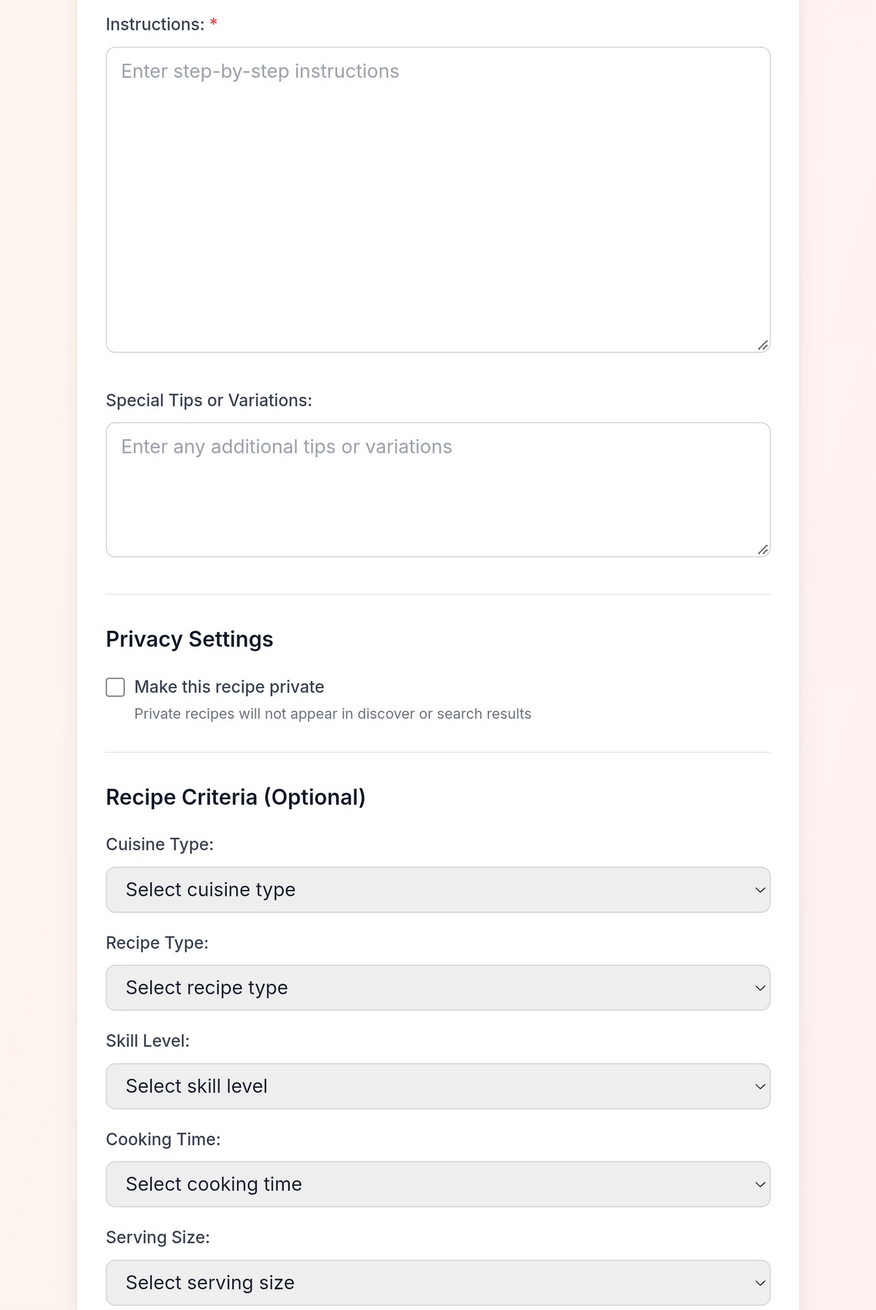
Not ready to share your recipe with the world yet? With Maison Foodie, you can add all of your “secret” recipes to Recipe Books of your choice and make them private by selecting the “Make this recipe private” option.
Recipes that have been designated as “Private” recipes will not be displayed for others to view in the Maison Foodie community, and will not appear in any community recipe searches.
Defining Recipe Criteria is an optional step. If you are planning to share your manually added recipes with the Maison Foodie community, defining the Recipe Criteria will help the Maison Foodie community users find and discover your recipes.
The privacy controls tool is perfect for home cooks and culinary enthusiasts and experts who need a tools and solution to manage and organize their unique recipes while continuing to ensure that they remain “secret”!
Exporting Recipe Books that contain private recipes allows you to have instant offline access to your catalog of recipes on any mobile device anytime and anywhere.
The provided form fields allow you to add the information for recipe ingredients, instructions, and special tips or variations. Keep it simple or make it extremely detailed. It’s your recipe – your choice!
** Important Note:
1. Defined Recipe Criteria will not be displayed in any recipes within a Recipe Book that has been exported to digital PDF file.
2. To view exported Recipe Books in digital PDF, your computer and/or mobile device must have the appropriate software application that can open and view PDF file formats.
Custom Recipe Organization & Management - Export Your Recipes to Digital PDF
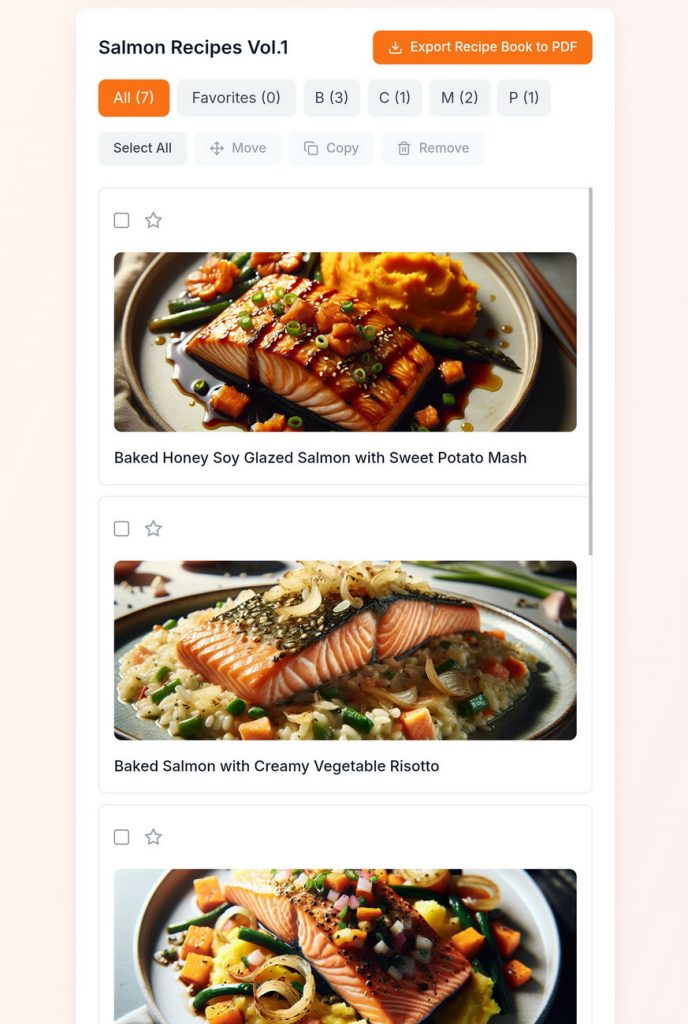
All recipes that are added to Maison Foodie Recipe Books can be organized as follows:
- Alphabetically by first letter of the recipe
- Recipes flagged/tagged as “favorites”
Recipe Books “bulk-action” tools allow you to select one or multiple recipes to either “Move” those recipes to another Recipe Book, “Copy” those recipes to another Recipe Book or multiple other Recipe Books, or “Remove” the selected recipes from the Recipe Book.
Removing recipes from a Recipe Book will not remove/delete the recipe from the Maison Foodie community. Any recipes, whether created by you or by another foodie, that can be discovered in the Maison Foodie community can be easily and quickly added to a Recipe Book.
Don’t like the name of your current Recipe Book? Simply click on the Recipe Book “edit” button to rename your Recipe Book.
Once you are happy with the name of your Recipe Book and the content of your Recipe Book, click on the “Export Recipe Book to PDF” button to create an offline digital PDF copy of the Recipe Book that you can instantly access on any device that supports PDF files. Exporting Recipe Books to digital PDF is super easy with Maison Foodie and a great way to share your recipes with friends and family!
Export Your Recipe Books to Digital PDF
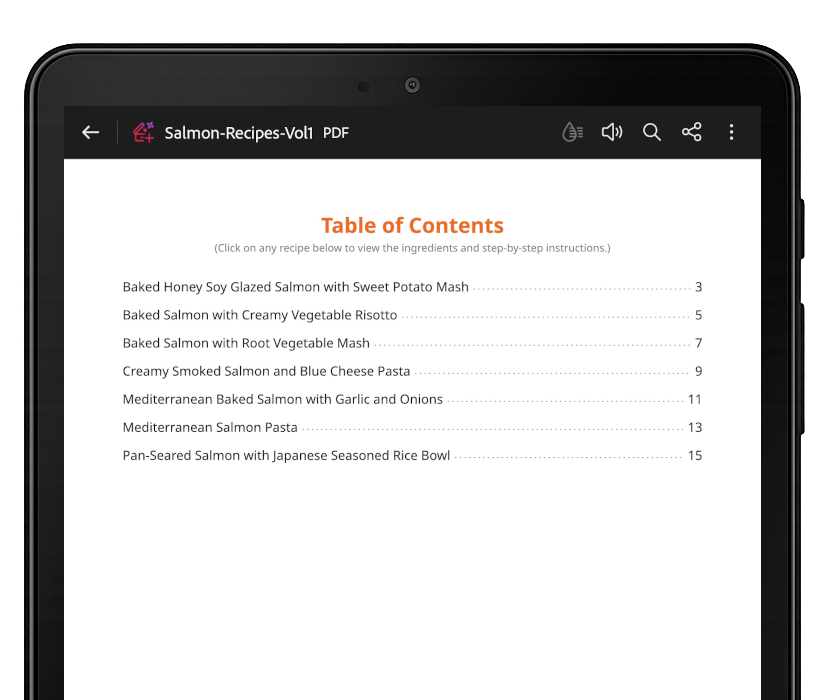
Export your Recipe Book to digital PDF file in just a few clicks! Instant offline access to your digital Recipe Books is now at your fingertips.
Print or share your PDF Recipe Books with friends and family. Instantly access your offline PDF Recipe Books on your computer and mobile devices.
All exported PDF Recipe Books automatically include:
- The title of the Recipe Book displayed on the first page with the name of the Recipe Book and the creator’s/author’s Display Name.
- Auto-generated “Table of Contents” displaying all Recipe titles included in the Recipe Book. Each Recipe title will be automatically linked to the page where the Recipe is located for quick and easy access. The end of each recipe in the Recipe Book will have links back to the Table of Contents to simplify navigating through the PDF Recipe Book and to reduce the amount of scrolling.
- All components of the Recipe (Recipe title, Recipe image, Brief Description, Recipe Details, Ingredients, Instructions, and Special Tips or Variations.
Start creating and exporting your Recipe Books to digital PDF by purchasing a Subscription License. Maison Foodie offers pay-for-use subscription pricing.
Scan and Digitize Your Own Recipes
Got recipe cards? With a Pro Member account, you can import, scan, and digitize your recipe cards to create Maison Foodie recipes with the Maison Foodie Text/Character Recognition Tool. Easily organize and manage all of your personal recipes with Maison Foodie Recipe Books. Got a “secret” recipe that you don’t want to share with the community? Don’t worry. Maison Foodie’s privacy features will keep your personally added recipe a “secret”.